
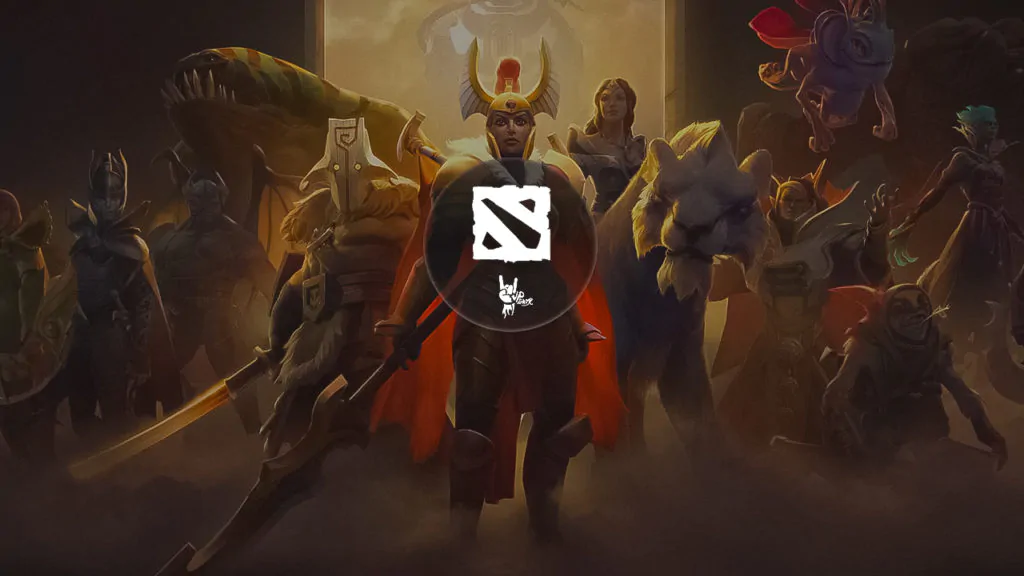
A Complete Guide to Skinchanger in Dota 2: Aesthetics Without Limits
Why is a hero's appearance important?
Dota 2 has long since ceased to be just a game. It's an entire universe where every pixel matters, and a hero's appearance often speaks volumes about a player's status more than their MMR. We all know that feeling when you take to the mid lane as Invoker with the Dark Artistry skin or show off an Arcana drop on Phantom Assassin. But what if your wallet can't keep up with your desires, and opening chests becomes a low-odds lottery?
This is where Skinchangers come in —tools that disrupt Steam's virtual economy, making absolutely any cosmetic item available in seconds. Instead of spending thousands of rubles on the market, you simply launch the software and play with the skin set you've always wanted. However, there are many myths surrounding this topic, from instant VAC bans to flashing skins directly to your account.
In this article, we'll take a detailed look at what a modern skinchanger is, how market leaders operate, and examine the legal risks and technical nuances of using these programs.
How does Skinchanger work? Client-side technology
To understand why Valve's administration has been fighting skinchangers with varying success, while the community still actively uses them, we need to look under the hood of the game. Dota 2 is built on the Source 2 engine, which has a complex resource loading system.
The principle of local file substitution
At their core, the vast majority of skin changers (excluding some solutions that work through an overlay) are based on the principle of local texture and model replacement. You don't purchase a skin on Steam and receive it in your inventory. Instead, the program replaces the game files on your computer in real time.
It works like this: the game requests the system for a default hero model, but the skin changer intercepts this request and feeds Dota 2 the Arcana or Immortal textures. It's important to understand that these changes are visible only to you . To other players in the match, you will appear either as the default hero or as the wearer of the skins you actually have in your inventory.
Why aren't these cheats in the classic sense?
Most newbies confuse visual mods with software that provides an advantage (like warlocks or scripts that automatically use abilities). A skin changer doesn't affect gameplay . It doesn't reveal enemies behind the fog of war, doesn't increase damage, or change the range of spells. It's a purely aesthetic add-on.
However, technically, any interference with game files or process memory is a violation of the Steam User Agreement. This is where the main risk lies: VAC (Valve Anti-Cheat) may consider texture substitution suspicious activity, especially if the software injects DLLs into the game process.
Risks and Reality: Ban or Freedom?
Before we move on to reviewing specific products on UP-GAME.PRO , it's important to dispel the main myth: "Skinchanger = 100% ban."
VAC system and false positives
Valve Anti-Cheat (VAC) is a system that analyzes software behavior in conjunction with gameplay. VAC's primary goal is to detect software that reads game memory for advantage (Wallhack, MapHack) or automates actions. Early versions of skinchanger apps, which simply replaced files in the steamapps folder, worked virtually unchecked until Valve strengthened file integrity checks via the sv_pure parameter.
Modern solutions (those featured in our catalog) use more sophisticated methods: either injection through authorized overlays or code obfuscation to hide their presence. However, it's important to understand: no one can guarantee absolute security . You pay for access to visual luxury, assuming a calculated risk.
How to reduce risks?
Experienced users recommend following simple rules:
- Don't use free dubious software From forums. Often, they're either already patched by VAC or riddled with Trojans.
- Disable cheat during major updates (The International, major patches), when Valve is especially active in scanning the system.
- Use private or verified paid builds such as Dota 2 [Melonity] or DOTA 2 UMBRELLA, where developers quickly implement fixes for new updates.
Top 5 Dota 2 Customization Solutions
Let's move on to the most interesting part—an overview of the current tools available for purchase at UP-GAME.PRO . Each of these products has its own audience and operating characteristics.
-
Dota 2 [MetaSkin] — The gold standard of the mass segment
MetaSkin is perhaps the most well-known brand among MOBA skin changers. If you're new to the game and want to try customization without complex settings, this is the product to start with.
Features:
MetaSkin works on the "download, run, forget" principle. The interface features a user-friendly menu where all heroes are sorted with skin previews. The program automatically picks up the Dota 2 process and injects textures. A huge advantage of MetaSkin is its database. It includes not only standard sets purchased in the store but also exclusive items awarded only for purchasing the Battle Pass at level 1000, as well as rare Immortal and Arcana items.
Who's it for? For players who don't want to mess around with configs and scripts, but just want their Juggernaut to look like a demon with a Serrakura katana. MetaSkin is regularly updated, and our support team provides the latest, detection-resistant version.
- Dota 2 [DIVINE] — Software for aesthetes
If MetaSkin is a mass-market product, then Dota 2 [DIVINE] is a premium one. This cheat is positioned as a tool for those who want to customize everything from ability icons to kill sounds.
Distinguishing feature:
[DIVINE] allows you to combine skins in unconventional ways. Official Dota 2 doesn't allow you to equip Invoker with a Dark Artistry hat and Magnus's shoulders. The cheat breaks these restrictions, allowing you to create "Frankensteins" from the best parts of different sets. Furthermore, [DIVINE] is famous for its "Weather Changer" mode, where you can set any weather effect on the map (rain, blizzard, moonlight) regardless of whether you have that weather effect in your inventory. This creates a unique atmosphere unavailable to regular players.
- Dota 2 [Melonity] — The legendary multitool
Melonity is known in certain circles not just as a skin changer, but as a powerful platform for game modification. While other tools only work with cosmetics, Melonity (depending on the mode) can offer features that border on cheating, such as a convenient Pick Screen or ability range indicators. However, in the context of skins, it shines.
Why choose Melonity?
Because of stability and performance. Skinchangers often suffer from frame rate drops due to the programs having to load Arcana's heavy textures in real time. Melonity uses an advanced caching system, ensuring the game runs smoothly even on low-end PCs. If you're looking for reliability and smooth performance on powerful skins like Phantom Assassin with custom ult effects, consider this option.
- DOTA 2 UMBRELLA - Universal soldier
UMBRELLA is a product often called a "workhorse." It doesn't try to be pretty or revolutionary; it simply works. UMBRELLA's main advantage over its competitors is the speed of its patch releases. After a Dota 2 update, which often breaks older skinchangers, UMBRELLA is updated within a few hours.
Functionality:
This software includes not only classic item swaps but also landscape mods. You can play on the "Dezima Eclipse" or "Immortal Gardens" maps even if you didn't buy them last year. UMBRELLA is perfect for daily pub games, when you don't need the hassle of playing, but just want to log in and enjoy the beautiful scenery.
- Dota 2 Overwolf — A special case
Overwolf stands apart on our list. Technically, it's not a classic injector/changer. Overwolf is a platform approved by Valve for creating overlay applications. Some Overwolf-based utilities can replace skins legally using the game's API.
Pros: Maximum security. Since Overwolf's apps operate through the official interface, VAC has no complaints about them.
Cons: Overwolf can't replace skins you don't have. It usually just "re-dresses" you with skins you already have in your inventory, but simplifies their selection, or uses local mods that are visible only to you but technically limited.
UP-GAME.PRO offers premium plugins for Overwolf, expanding its functionality to become a full-fledged skin changer, making it the best choice for those paranoid about getting banned but still wanting beautiful skins.
Comparative analysis and how to choose
To make your decision easier, we've prepared a detailed product comparison based on key parameters.
| Name | Difficulty of installation | PC load | Unique feature | Risk of ban |
| Dota 2 [MetaSkin] | Low | Average | A huge library of exclusives | Low (verified code) |
| Dota 2 [DIVINE] | Average | Low | Mixing parts of sets + Weather | Low |
| Dota 2 [Melonity] | High (flexible settings) | Very Low | Optimization and custom effects | Minimum (during updates) |
| DOTA 2 UMBRELLA | Low | Average | Instant patches after updates | Average (popular among the masses) |
| Dota 2 Overwolf | Low | High (due to overlay) | Legality of the platform | Null |
Which cheat should I choose on UP-GAME.PRO?
- Looking for something affordable and simple? Try MetaSkin.
- Do you have a weak computer but want Arcana? You need Melonity.
- Ready to put in a little effort for a unique look? [DIVINE] is your choice.
- Are you afraid of getting banned more than anything else? Choose the premium version of Overwolf.
Step-by-step instructions for use
The installation process for most skin changers is the same. However, we'll use the most popular option—Dota 2 [MetaSkin]—as an example.
Step 1: Disable antivirus software
It sounds trivial, but many forget. Because skinchanger software injects code, antivirus programs (especially Windows Defender) detect it as potentially dangerous software. You need to add the cheat folder to the exceptions list or temporarily disable protection when launching the game.
Step 2: Launch
Important: you must run the cheat as an administrator . This is necessary to access the dota2.exe process. First, launch the launcher (for example, MetaSkin.exe), select the desired skins in the interface (check the boxes next to what you want to see), and then launch Dota 2 itself through Steam.
Step 3: Gameplay
You're unlikely to see any changes in the Dota 2 main menu—skins often don't appear in the lobby due to rendering issues. Jump into a demo or match. Your heroes should appear in their new skins. Important: never change skins while the map is loading (the loading screen)—this is a common cause of crashes. It's best to do this in the main menu.
Step 4: The Legend of the Eternal Skins
There's a myth that skins stay forever after using a skin changer. This isn't true. While the cheat is active, the skins are there. Disabling the cheat returns the game to its default settings. However, some programs (especially older versions of Melonity) could write changes to the cache, causing display issues to persist for some time even after removal. The developers have now removed this effect to avoid raising suspicions from VAC.
Ethical aspects and community opinion
Skinchangers in Dota 2 have always been a controversial topic. On the one hand, you don't ruin the game for others. Your Arcana on Rubick doesn't make you stronger, and your opponent can't see your skin, so they can't psychologically pressure you with "expensive gear." It's your personal space, your aesthetic pleasure.
On the other hand, using such software is a blow to Steam's economy. Valve makes millions selling skins and chests. If all users switched to skin changers, the market would collapse, and development of new content for the game would cease.
UP-GAME.PRO's opinion: We think skinchangers are a great tool for trying things out. Seen someone's cool set for Morphling, but are afraid to buy it because you don't know how to play? Install a cheat, play for a week, realize Morphling is your hero, and only then buy the skin officially. Or maybe you're just happy with the pretty picture without shelling out thousands of rubles.
Conclusion: Is the game worth the candle?
In conclusion, it's safe to say: the era of skinchangers continues, despite Valve's best efforts. The quality of the software available on UP-GAME.PRO (MetaSkin, DIVINE, Melonity, UMBRELLA, and Overwolf-based solutions) has reached such a level that the risk of a ban is minimal, provided the terms of use are followed.
You get access to all Dota 2 cosmetics—Arcanas, Immortals, rare online items, Personas, and terrain—for the price of a fast-food meal. No more rigorous chest roulette, no more regrets about wasted money on the market. Just you, your favorite heroes, and their amazing looks.
If you're ready to take the next step toward unlimited personalization, head to the Dota 2 section at UP-GAME.PRO and choose your perfect tool. Remember: you're not paying for skins—you're paying for freedom of choice and beauty on your screen. Good luck on the battlefield, and may your heroes look the way you deserve!
